Reading your journal
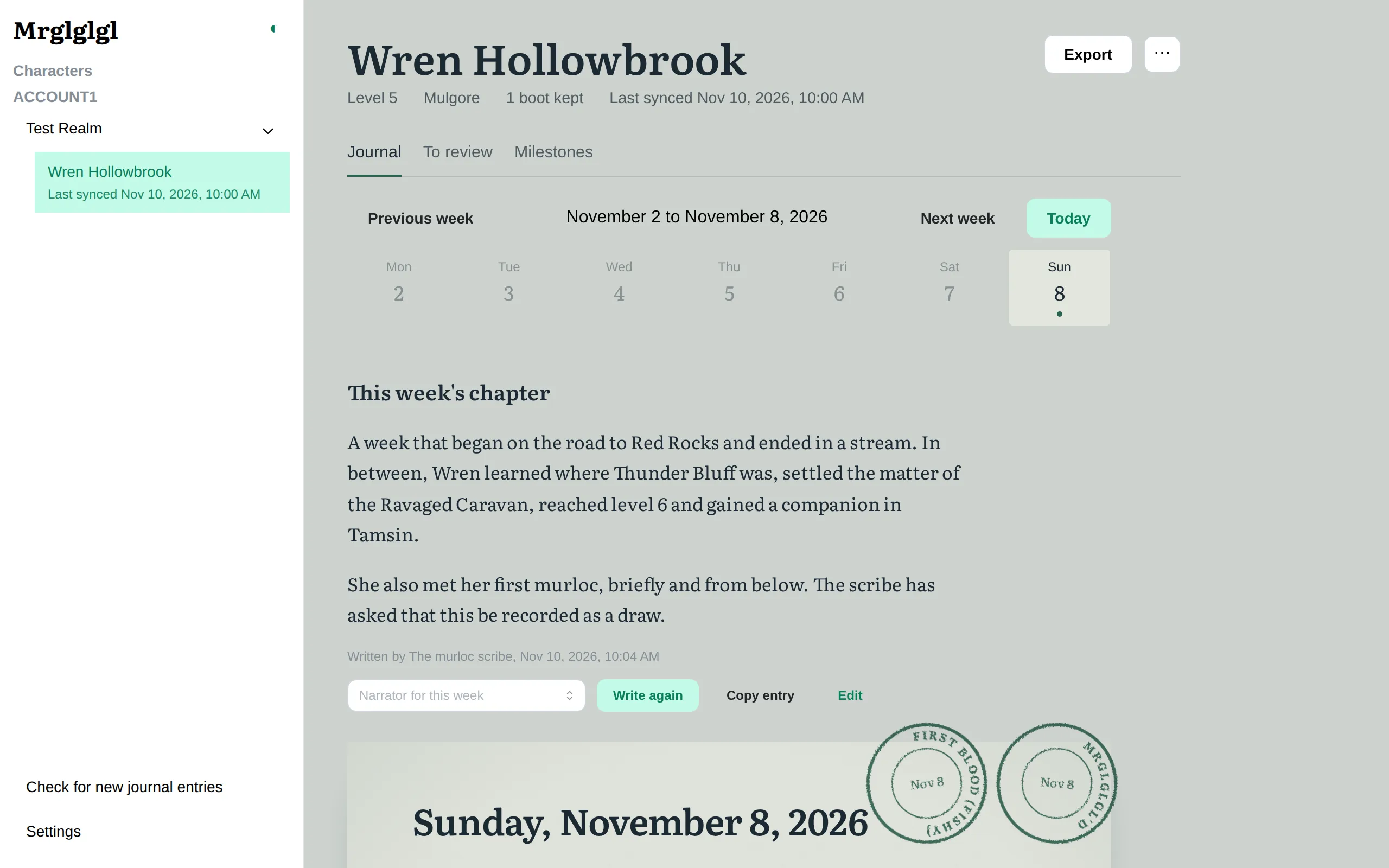
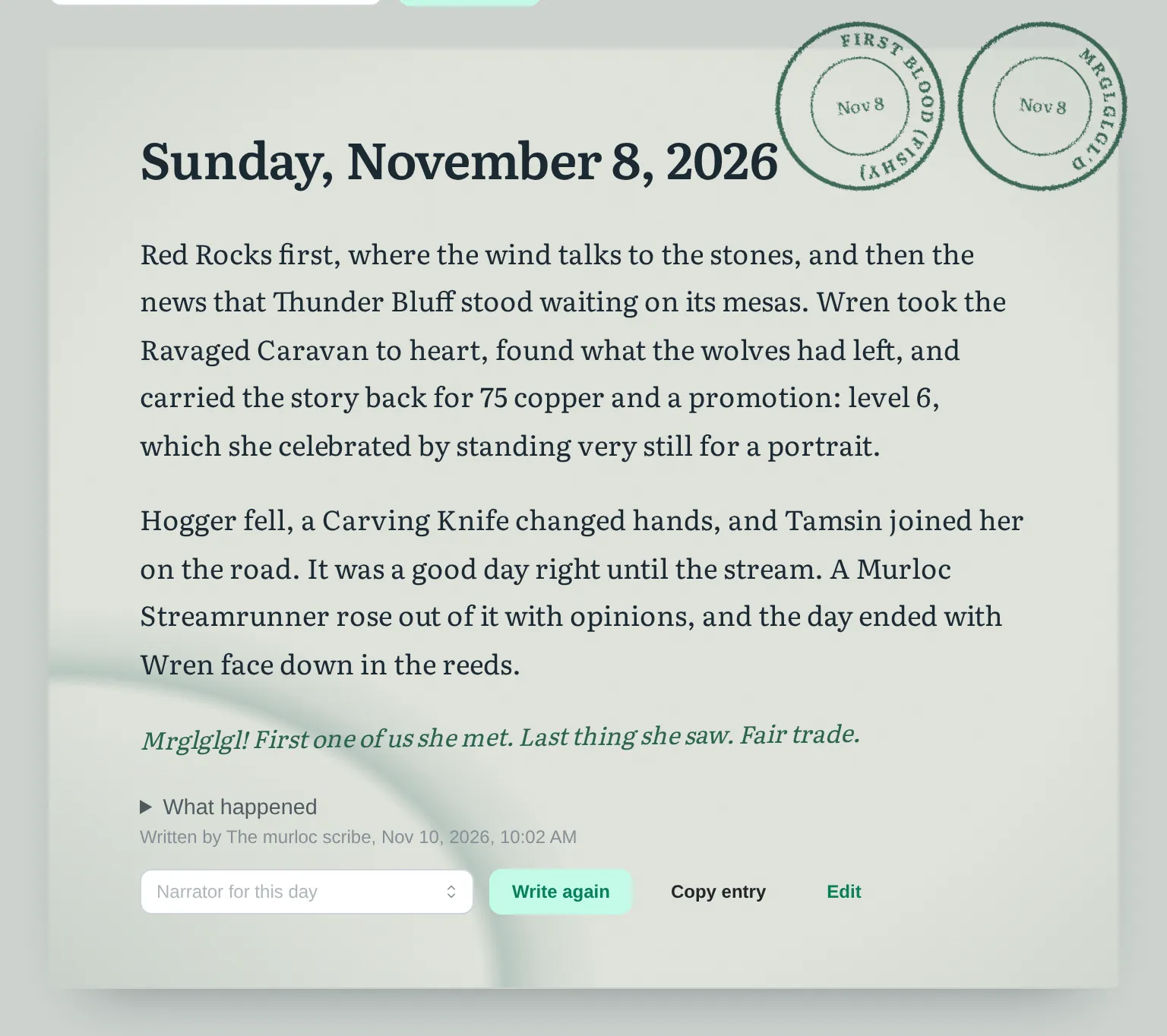
Each day is a page: the narrator’s entry once it is written, the milestones stamped that day, any screenshots the addon took, and What happened, the plain record the entry was written from. Days are grouped by week; the week’s chapter is written once the week is over.
When entries are written
Section titled “When entries are written”A day the narrator has not written yet says so, with its place in line. The app writes finished days one at a time in the background, oldest first. By default it waits while the game is running, because writing uses the processor and the game may stutter. In Settings, Writing, turn on Write while the game is running to change that, or Pause background writing to stop it.
On a day still going, Write what happened so far writes it up to now; the full entry is written once the day is over.
Writing again
Section titled “Writing again”On a day you can write the entry again, pick another narrator for that day, or cancel a write in progress. Earlier versions are kept: Older and Newer move between them.
The narrator checks its own work
Section titled “The narrator checks its own work”An entry that names a number, place, creature or item that is not in the day’s notes is written again once. If it is still wrong, the day keeps its plain notes and says why.
Editing an entry by hand
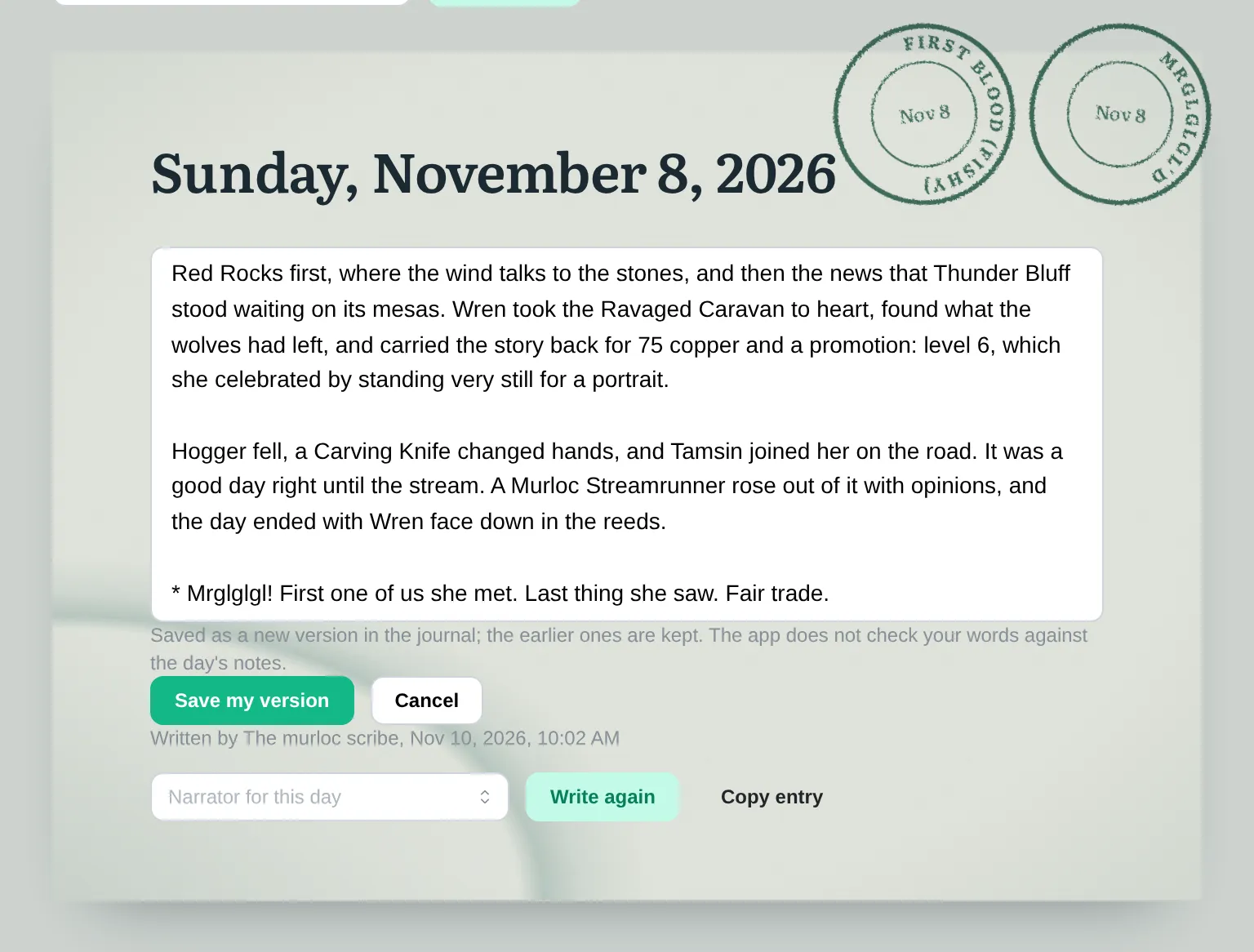
Section titled “Editing an entry by hand”Edit on a finished day or week lets you write your own version, starting from the one shown (a day set aside by the check included). It goes straight into the journal as a new version, the earlier ones are kept, and its byline says you edited it: the app does not check your words against the notes.
Milestones
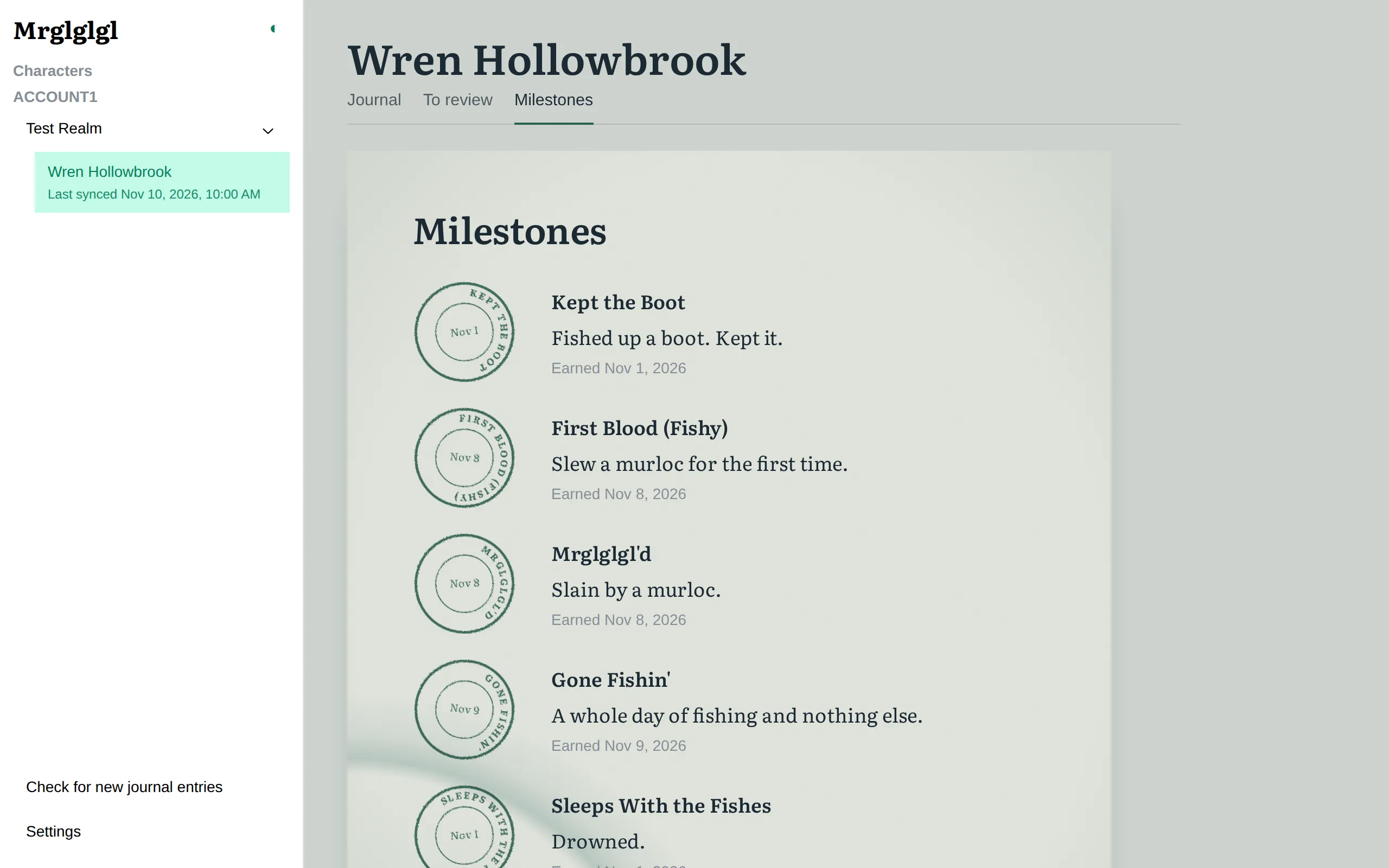
Section titled “Milestones”Milestones are stamps for moments worth remembering: your first boot, your first murloc slain, a day spent only fishing. They appear on the day they happened and together on the character’s Milestones tab.
Reviewing before entries go in
Section titled “Reviewing before entries go in”Turn on Let me review entries first in Settings, Writing to have background entries wait on the character’s To review tab as drafts, to accept or discard.